
Adjustable Zoom, Tailored to You: The Magnification Tool Arrives
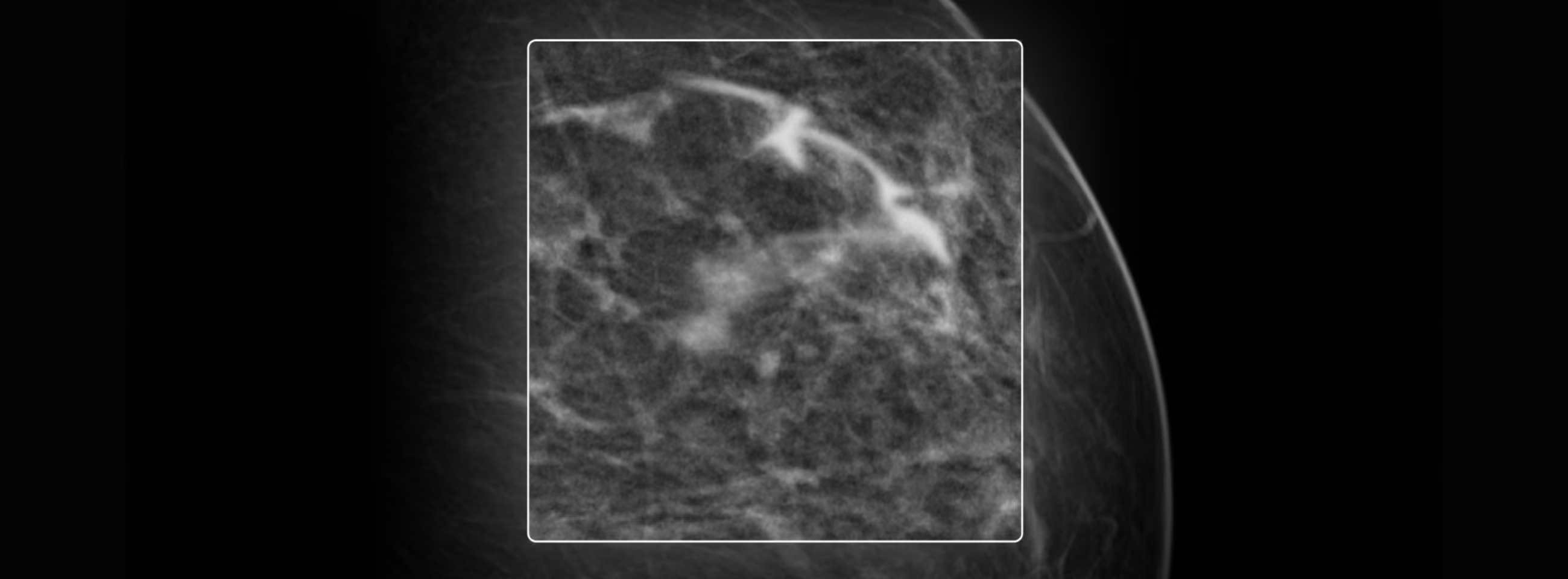
Now you have greater control over your zoom options with the Magnification tool in Eden PACS.
This feature lets you control your zoom level and the region of the study you want to view, using adjustable boxes. This gives you the flexibility to move quickly through the study, viewing the detail you need in an instant.
When using the Magnification tool, you'll view the study with a default magnification of x2. However, you can adjust this zoom level however you like, within a range of x1.2 to x4.8. To do so:
- Select the Zoom tool from the toolbar or from your right-click menu. Choose the Magnification option.
- Press the Ctrl key on your keyboard.
- While holding the key, move your cursor up to increase the zoom level, or down to decrease it.
It's also possible to adjust the size of the box, or "magnifier," to view certain details with greater precision. To do so:
- Select the Zoom tool from the toolbar or from your right-click menu. Choose the Magnification option.
- Press the Shift key on your keyboard.
- While holding the key, move your cursor up to increase the size of the box, or down to decrease it.
Take control of your tool, adapt it to your interpretation needs, and view the fine detail of a study quickly and without friction. Try Magnification today in Eden PACS.