
Whitepapers
The latest capabilities of the Diagnostic OS

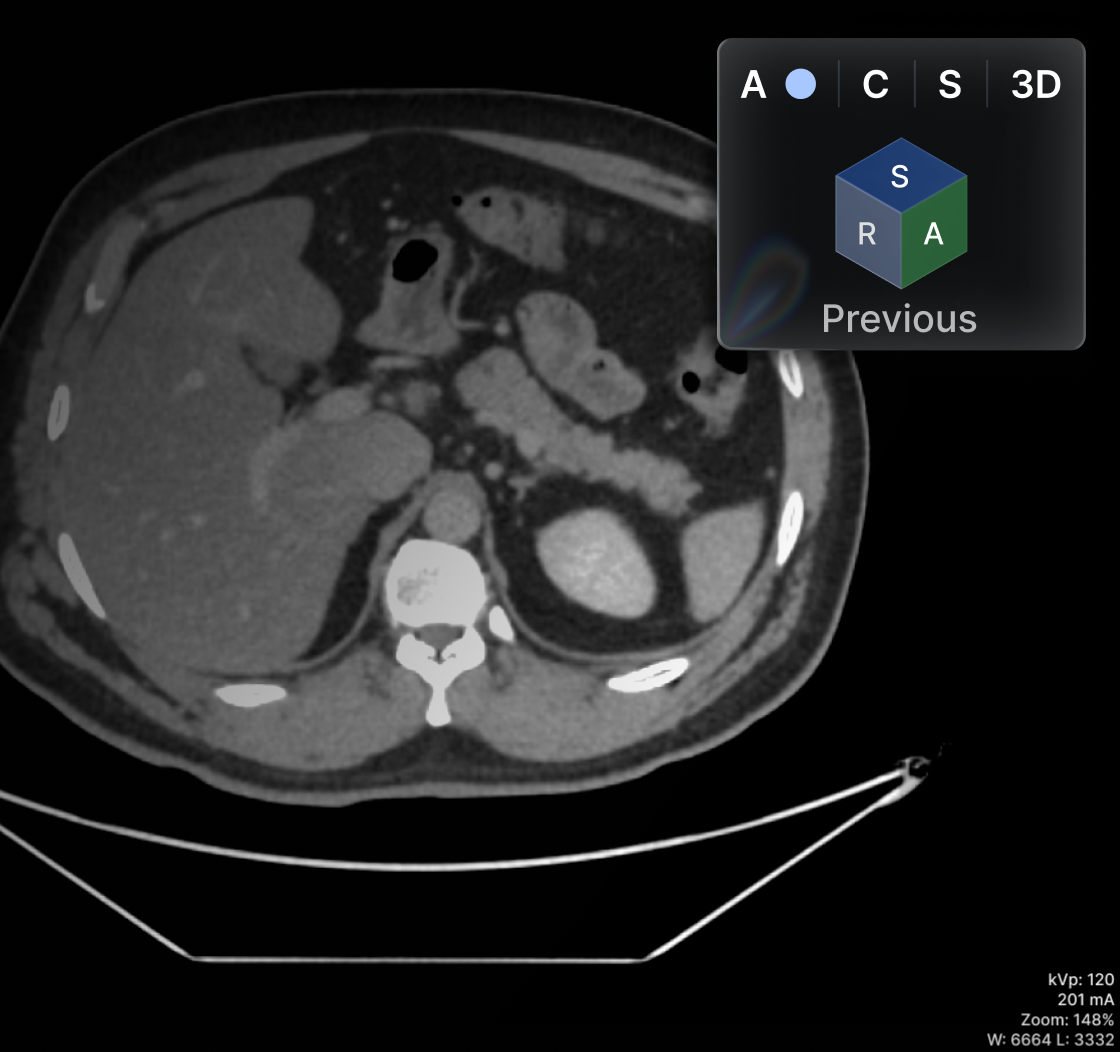

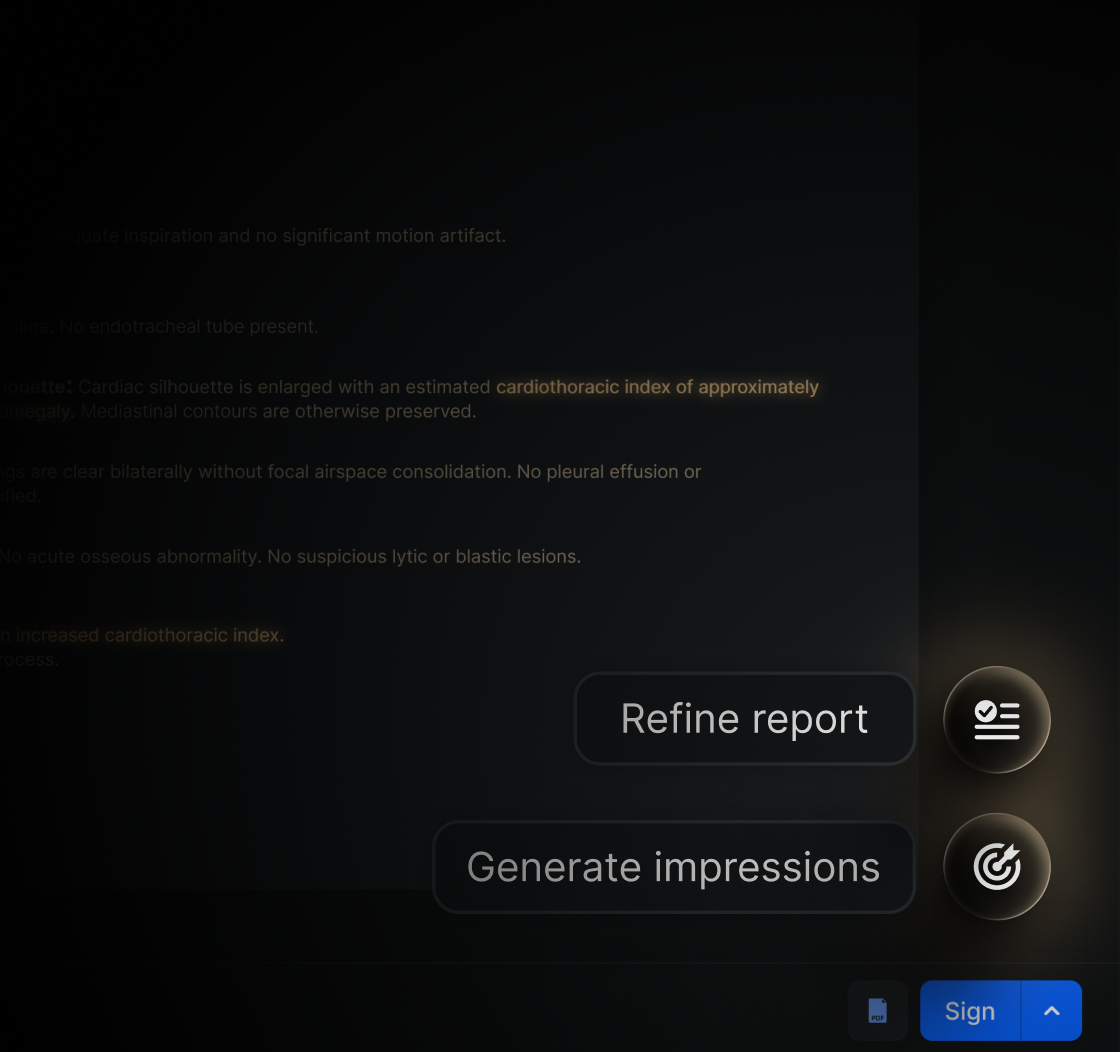
Browse all

3 Rules to Ensure the Cybersecurity of Your PACS
A cyberattack puts not only patient information at risk, but also the institution's operations and reputation. In this blog, we explore three key strategies to strengthen the security of your PACS: holding international certifications, using cloud storage, and establishing robust access controls.
1: Choose a PACS System with International Certifications
- HIPAA regulation: This standard sets clear requirements for protecting the privacy and security of information in the healthcare industry.
- ISO 27001: This international certification ensures that the system meets advanced information security management standards.
Choosing a system with these certifications will protect your institution from potential legal penalties and ensure the safety of your patients. Eden PACS also holds regional certifications for Mexico, Brazil, South America, and Central America, safeguarding the privacy of healthcare institutions worldwide.
2: Secure Your Data with a Cloud Infrastructure
Cloud storage not only provides flexibility and accessibility for accessing radiology images: it is also key to strengthening cybersecurity.
- Encryption and digital safeguards: Cloud systems incorporate advanced physical and logical security measures, such as access controls and data encryption, to protect medical images.
- Data backup: The cloud offers disaster recovery options, ensuring that essential patient data remains available even in the event of cyberattacks or local system failures.
- Automatic updates: With a cloud infrastructure, your systems receive real-time security updates, reducing vulnerability to attacks without interrupting your workflows.
By migrating to the cloud, healthcare institutions can focus on their daily operations while trusting that their data is protected by industry best practices.
3: Implement a Data Security Strategy
Technology alone is not enough; institutions must establish internal policies that reinforce the security of their PACS systems:
- Role-based access controls: Limit access to medical data to authorized personnel only. Eden PACS administrator users can change their staff's permissions directly, regulating access to patient studies and even institutional data analytics.
- Ongoing training: Educate your staff on cybersecurity best practices, such as identifying phishing emails and handling sensitive data securely.
These internal strategies complement the security provided by the system vendor and help create a safer environment for medical information.
Conclusion
Protecting PACS systems from cyber threats is not optional; it is a necessity for any healthcare institution that values the security and privacy of its patients. By choosing a system with international certifications, migrating to cloud storage, and establishing robust access controls, your institution will be better prepared to face today's security challenges. Do not leave security to chance: invest in a system that guarantees the protection of your medical data. Invest in Eden PACS. Schedule your demo today.
The Impact of Your DICOM Viewer on Diagnostic Accuracy
Choosing the right DICOM viewer is key to ensuring diagnostic accuracy at your radiology institution. In addition, a specialized cloud-based viewer can streamline your workflows, boosting patient satisfaction and building loyalty among your referring physicians. In this blog, we explore the essential features of a good DICOM viewer and how choosing the right one can transform medical practice.
Key Features of an Efficient DICOM Viewer
- Capabilities for 3D reconstruction and MPR: These tools are essential for visualizing complex anatomical structures from multiple angles, improving diagnostic accuracy.
- Medical image processing speed: A fast viewer allows large studies to load without interruption, saving time in urgent diagnoses. In an emergency setting, a fast platform can make the difference between a timely diagnosis and a critical delay.
- Usability for radiologists: An intuitive interface shortens the learning curve and speeds up adoption of the DICOM viewer, enabling the use of new advanced tools without interrupting the diagnostic workflow.
- DICOM compatibility: Make sure the viewer is fully compatible with the DICOM standard to ensure interoperability with other systems. This is key to integrating tools such as RIS/PACS and enabling an efficient workflow throughout the institution.
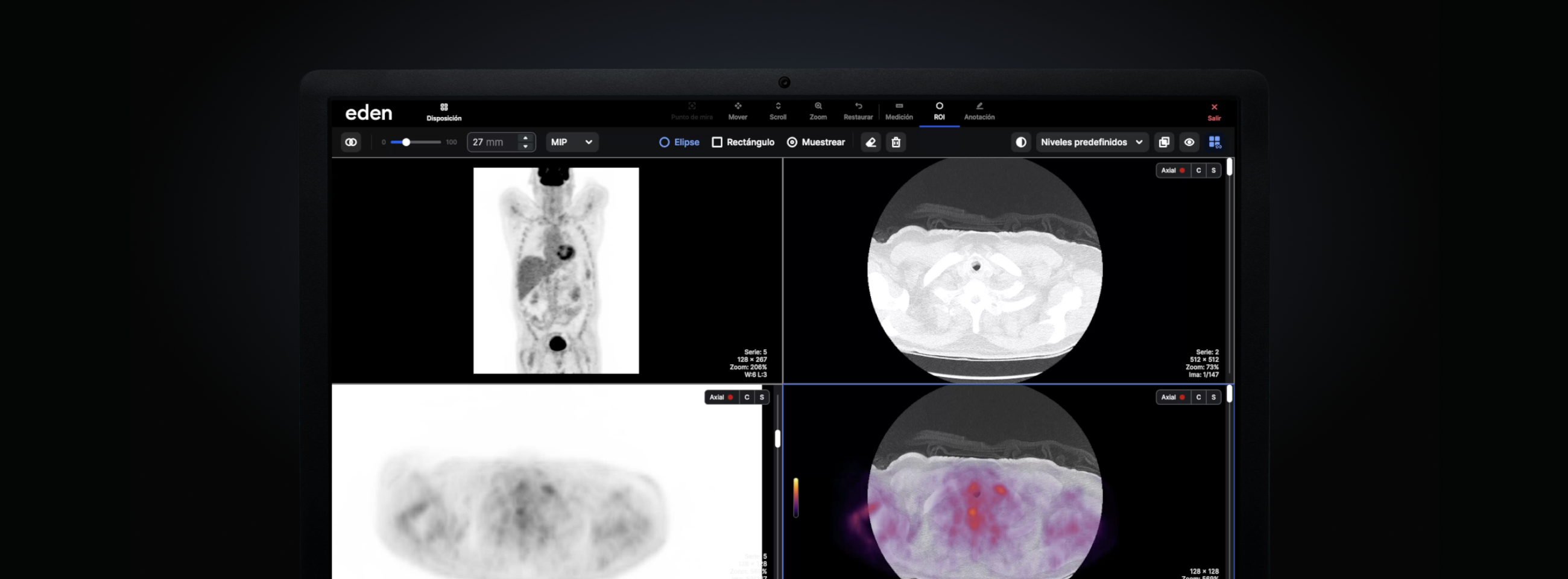
Eden PACS offers a cloud-based DICOM viewer with specialized tools, including PET-CT and blood vessel reconstruction. This ensures both interoperability and diagnostic accuracy.
The Role of the DICOM Viewer in Your Radiology Institution
- Workflow optimization: A reliable viewer allows radiologists to work more efficiently, spending more time on analysis and less on solving technical problems.
- Reduced wait times: Patients can receive faster diagnoses, which reduces their anxiety and increases their satisfaction.
- Greater accuracy in results: With advanced tools such as 3D reconstruction and vessel analysis, diagnoses are more accurate, which increases patient confidence in treatment.
- Access to second opinions: The ease of sharing images with other specialists makes it possible to obtain second opinions without repeating studies, saving time and resources.
Your DICOM Viewer, Taken to the Next Level
DICOM viewer technology keeps advancing, and staying up to date is essential for any medical institution. The Eden PACS viewer receives hundreds of updates a year to put new tools in your hands, such as:
- Artificial intelligence for reports: automatically supplements radiology report conclusions to save up to 1 hour a day.
- Fully mobile DICOM viewer: a new turn that is crucial in the industry, providing access to advanced cloud-based tools from any device, for both radiologists and referring physicians.
- Highly specialized suites: includes specialized features for analyzing orthopedic studies and mammography, preparing your institution to process complex studies with the right tools.
Conclusion
Choosing the right DICOM viewer is key to improving diagnostic accuracy, optimizing workflows, and ensuring quality medical care. Do not underestimate the impact this tool can have on your medical practice. An advanced viewer not only optimizes the medical team's productivity but also transforms the patient experience, positioning your institution as a leader in radiology services.
Request a demo now and discover how Eden can enhance your diagnostics with a fast, specialized, fully cloud-based DICOM viewer.

Why Switch to a Cloud-Based RIS/PACS?
More and more hospitals and radiology clinics are migrating to cloud-based RIS/PACS systems to optimize their workflows. But what advantages do they offer over on-premise solutions? In this blog, we explore the key reasons to replace your radiology software with a 100% cloud-based option.
Benefits of a Cloud-Based RIS/PACS Compared to On-Premise Systems
Cost Optimization
By migrating to a cloud-based RIS/PACS, healthcare institutions eliminate costs associated with physical infrastructure, such as servers and storage equipment. This lets them invest only in the resources they actually use, directing their resources toward other areas to improve efficiency and raise the quality of patient care.
Automatic Updates
With a cloud-based RIS/PACS system, medical software updates happen automatically, ensuring that the latest versions are always in use without the need for manual intervention. In the case of Eden PACS, users receive more than 1,500 updates per year at no additional cost. This improves the equipment's functionality and accuracy without interrupting daily operations.
Improved Patient Experience and Diagnostic Accuracy
Fast, Secure Results
With a cloud-native system, imaging studies can be shared instantly with patients and referring physicians, saving delivery time. With Eden Portal, users also have access to a fully mobile DICOM viewer, allowing them to view images with tools such as 3D, MPR, and PET-CT to reach an accurate diagnosis in a timely manner.
Simplified Collaboration
A cloud-based RIS/PACS facilitates the secure exchange of images between different institutions or specialists, which improves diagnostic accuracy and enables collaborative care. Physicians can review images, results, and even the patient's previous studies in real time, regardless of the medical team's location, streamlining the diagnostic process.
Security and Scalability in the Cloud
Regulatory Compliance
Cloud solutions comply with key regulations, such as HIPAA, which protect the privacy of patient information. In addition, Eden PACS holds international ISO certifications that guarantee the quality of its data protection systems, defending clinics and hospitals against potential cyberattacks.
Scalability
As an institution grows, a cloud-based RIS/PACS can scale to meet its needs, without worrying about technical limitations. This has been the case for Eden partner institutions such as Granados Radiology Center, which increased its monthly patient volume from 800 to nearly 2,000 since installing Eden PACS.
Conclusion
Migrating to a cloud-based RIS/PACS is a key strategic decision for a radiology institution. With remote access, cost reduction, automatic updates, and improved collaboration, these systems streamline medical image management without sacrificing the quality and security of your service.
Want to experience the power of the cloud firsthand? Schedule your demo with Eden PACS, the cloud-based RIS/PACS that puts highly specialized tools and up to 10 years of medical image storage in your hands, all with a single license.
.avif)
Create Your Own Viewing Space in Eden PACS
Eden PACS is ready to be personalized by you. That's why you now have full control over how you configure the monitors in your work areas.
With the new Monitor Configuration feature, you can decide what content to display on each screen and save your preferences to apply them automatically. Whether at home, in your office, or anywhere else, you'll be able to create an ideal space to interpret smoothly and without friction.
To configure your monitors:
1. Enter your DICOM viewer and click the Settings button, to the right of your toolbar.
2. A pop-up window will appear requesting permission to manage windows. Select Allow.
3. In the Monitors window, you'll be able to see all the screens connected to your computer. Select what you want to view on each of them: Viewer or Report.
4. Give your configuration a name* and click Save.
*We recommend naming it after the work area being configured (e.g., "Home" or "Office").
5. Repeat this process for all the devices you want to configure. Your preferences will activate automatically each time you connect to them.
6. In the Shortcuts window, you can also change the keyboard combinations that activate each tool in the DICOM viewer. Just click the shortcut you want to modify, press the key of your choice, and click Save.
Try Monitor Configuration today to create efficient workflows, speed up the pace of your interpretation, and take your work to the next level, in a space tailored just for you.
Have you tried it yet? If you have any questions, our team of experts is ready to help you via the Eden PACS support chat, or at soporte@edenmed.com
Adjustable Zoom, Tailored to You: The Magnification Tool Arrives
Now you have greater control over your zoom options with the Magnification tool in Eden PACS.
What it is
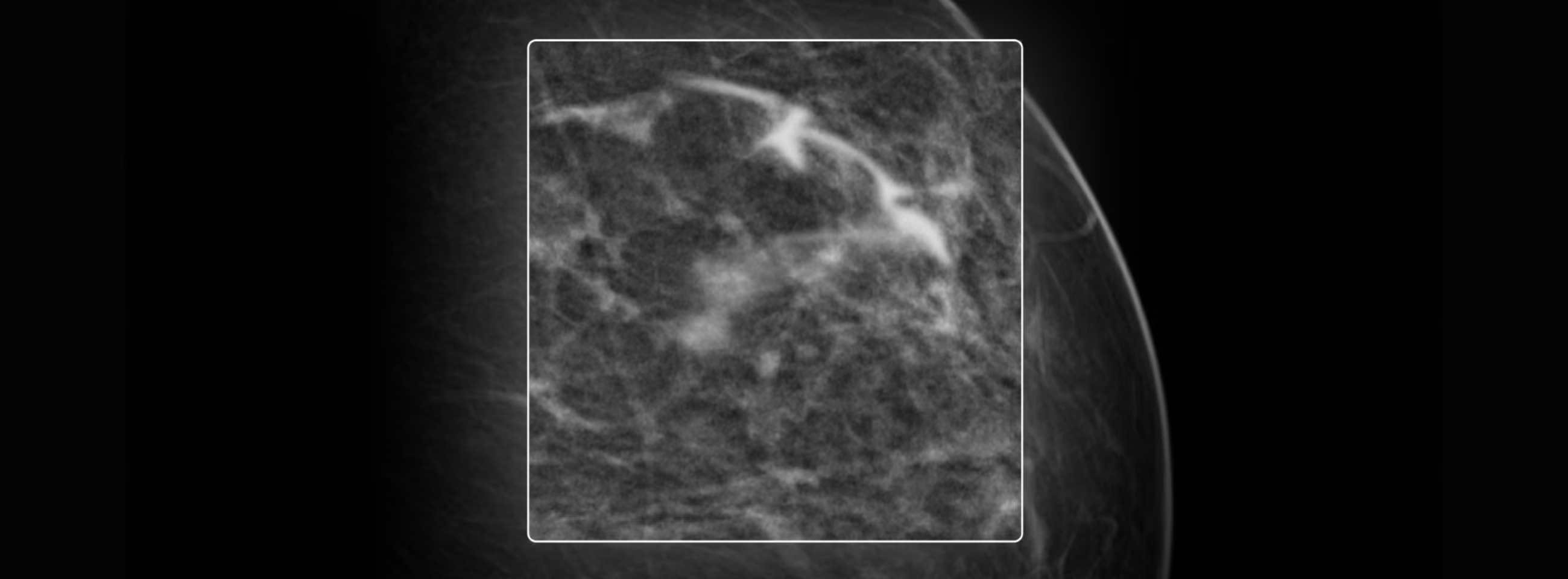
This feature lets you control your zoom level and the region of the study you want to view, using adjustable boxes. This gives you the flexibility to move quickly through the study, viewing the detail you need in an instant.
How to adjust the zoom level
When using the Magnification tool, you'll view the study with a default magnification of x2. However, you can adjust this zoom level however you like, within a range of x1.2 to x4.8. To do so:
- Select the Zoom tool from the toolbar or from your right-click menu. Choose the Magnification option.
- Press the Ctrl key on your keyboard.
- While holding the key, move your cursor up to increase the zoom level, or down to decrease it.
How to resize the magnifier
It's also possible to adjust the size of the box, or "magnifier," to view certain details with greater precision. To do so:
- Select the Zoom tool from the toolbar or from your right-click menu. Choose the Magnification option.
- Press the Shift key on your keyboard.
- While holding the key, move your cursor up to increase the size of the box, or down to decrease it.
Take control of your tool, adapt it to your interpretation needs, and view the fine detail of a study quickly and without friction. Try Magnification today in Eden PACS.
Have you tried it yet? If you have any questions, our team of experts is ready to help you via the Eden PACS support chat, or by email at soporte@edenmed.com
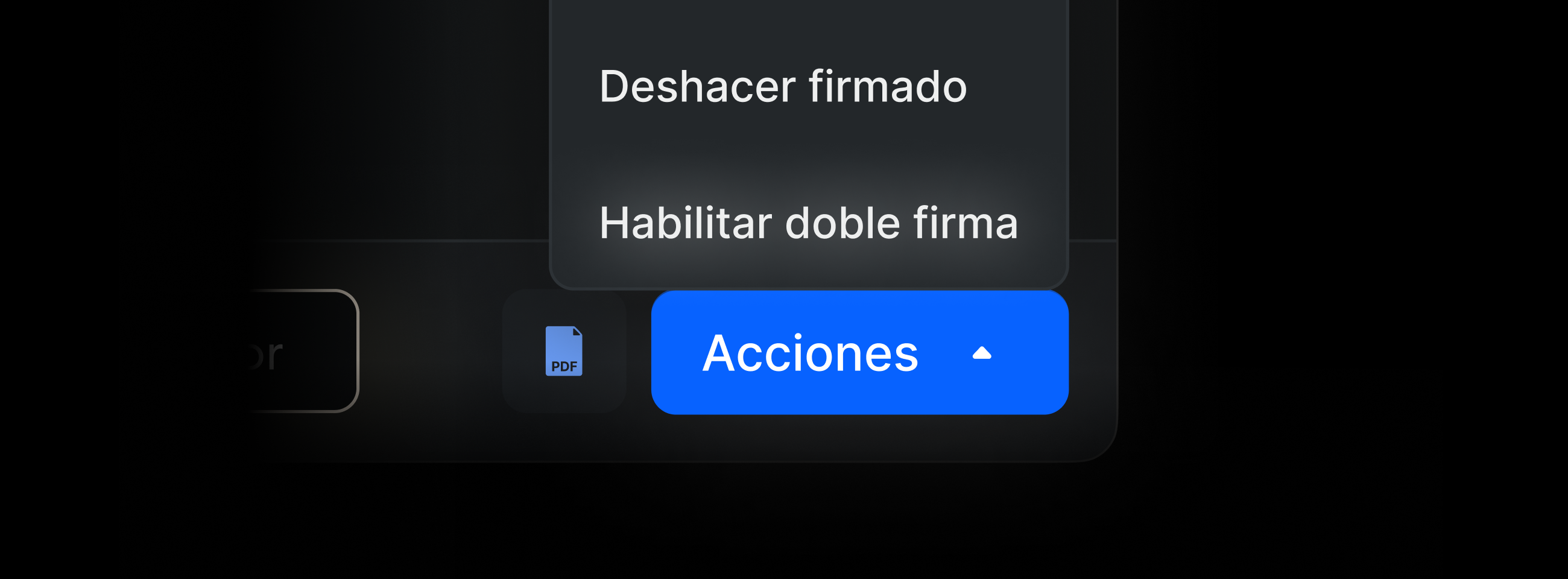
Ensure Diagnostic Quality in Your Institution with Double Signature
Your patients deserve diagnoses of the highest standard. That is why the double signature feature is now active in Eden PACS.
What it is
This new functionality allows you to assign an additional review to a study so that another physician can corroborate the findings. This makes it possible to ensure the diagnostic quality level of the report, complement studies with specialist opinions, and even properly supervise resident physicians in training. All with a single click.
How to activate it
You can request the activation of double signature according to your department's needs, choosing from the following options:
- Assign review to individual studies in the report signing panel *
- Automatically require double signature for all studies of one or more modalities selected
- Automatically require double signature for all studies generated by your institution
*Only available for users of type "Administrator" or "Administrator Radiologist"
How to assign permissions
To determine which users can perform double signature, go to your Administration Panel, select the Administrator or Administrator Radiologist user profile, and check the "Allow study review".
Start reinforcing diagnostic excellence in your radiology department with tools that live up to your standards. Contact your sales representative or write to soporte @edenmed.com to activate double signature today, at no additional cost.
Have you already tried it? If you have any questions, our team of experts is ready to help you in the Eden PACS support chat, or via email at soporte@edenmed.com
.avif)
Speed Up Your Study Search with the New Filters Module
At Eden PACS, even the smallest detail is constantly evolving to take your work to new heights. That's why a new and improved Filters Module is coming to your Study List.
Discover new features designed to make your study search even faster, simpler, and more efficient, with no changes to your current filters.
Grouped Criteria
Now, your filters are organized into categories, so you can find and use them more quickly:
- Patient: Relevant patient information, such as name or ID
- Study: Modality, study type, or description
- Staff: Assigned physicians or involved staff
- Dates: Time range for locating recent or older studies
Text Search in Lists
Drop-down lists now include a search bar, so you don't waste time scrolling to reach the option you want. Just type the first letters in the corresponding box and find the filter you're looking for in an instant.
New Selection Options
Now, the Patient Sex and Urgency Level filters are organized as buttons, so you can make the selection you need in seconds without needing drop-down lists.
Selecting dates has also been optimized for fast searches, with a drop-down calendar that lets you select dates manually. In addition, preset date ranges are included to quickly find studies performed in the last few days, weeks, or months.
Try your new Filters Module now, optimized to give you complete visibility of your studies, quickly and without friction.
Have you tried it yet? If you have any questions, our team of experts is ready to help you via the Eden PACS support chat, or by email at soporte@edenmed.com

Voice Dictation in Eden PACS: The Most Advanced Technology, in Your Hands
Excellence should be in your hands. That's why the new and improved voice dictation feature has arrived in Eden PACS, at no additional cost or licensing fees.
The new voice dictation has been trained on the millions of reports processed through Eden. Thanks to the power of this specialized AI, you can now dictate complex medical terms with ease, eliminating spelling mistakes, slow transcription, and errors that could affect report quality. Likewise, the new built-in voice commands allow you to insert punctuation and make formatting changes, without unnecessary clicks.
Start Using Voice Dictation Today
To activate your voice dictation:
- Choose your preferred browser, log in to Eden PACS, and access the report writing panel.
- Click the report icon.
- A pop-up window* will appear requesting permission to use your device's microphone: enable it and start dictating.
*If the pop-up does not appear automatically, you can find it by clicking the icon to the left of the search bar in your browser.
Everything you need to empower the work of your radiologists is already yours. Try your voice dictation tool today in Eden PACS.
Have you tried it yet? If you have any questions, our team of experts is ready to help you via Eden PACS support chat, or by email at soporte@edenmed.com
The BI-RADS Template: A Key Tool This Pink October
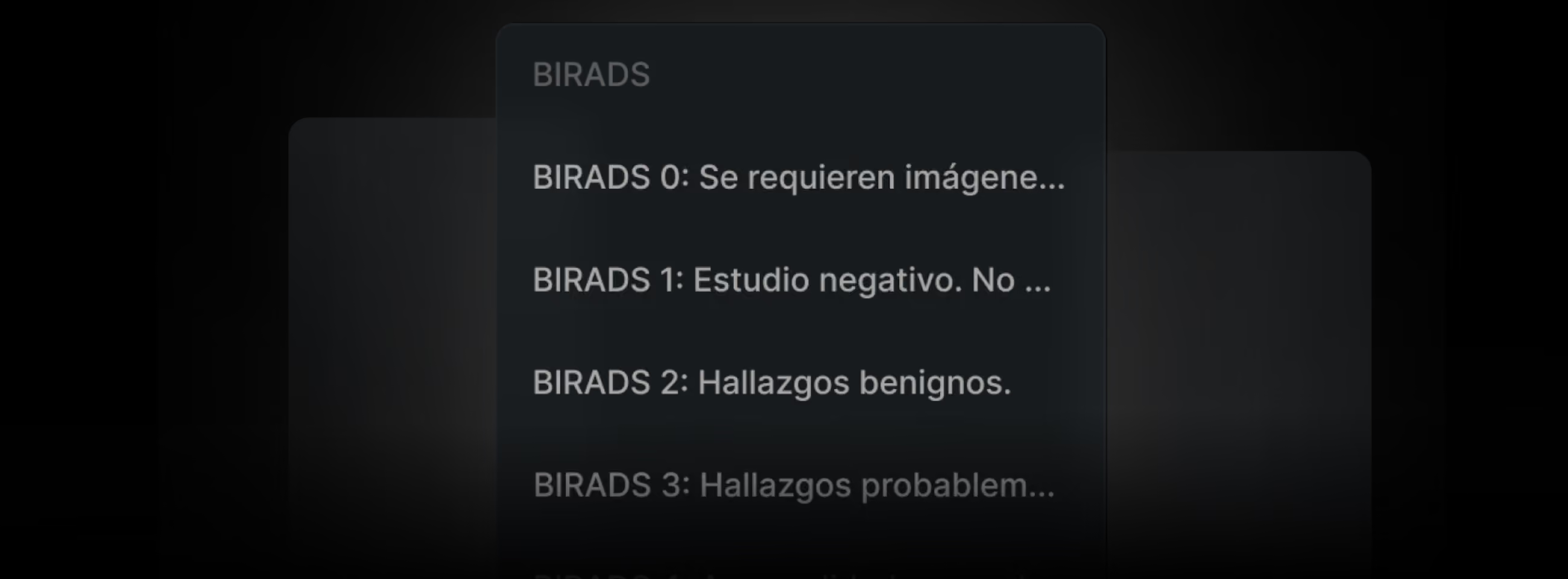
At Eden PACS, every tool is designed to take your institution to the next level, and the BI-RADS reporting template is no exception. This feature not only optimizes your radiologists' work, but also streamlines the follow-up you provide to your patients and maximizes operational efficiency, empowering your institution on every front. That's why, below, we explain how you can use this template to its full potential.
1. Customize and Standardize Your Results for Greater Efficiency
By standardizing the use of the BI-RADS template across your institution, all reports will follow a uniform format, making them easier to search and review. In addition, your radiologists can create and save customized versions of the template, eliminating repetitive tasks such as writing the same findings for BI-RADS 0-2 results. This streamlines workflows and boosts productivity.
To customize a template:
1. Open the Write Report tab. At the top, click the "Template" button and select the one you want to customize.
2. Make the text and formatting changes you want in the findings window.
3. Click "Save." Give your template a name and save it for future use.
2. Generate Statistics to Enhance Internal and External Analysis
One of the greatest advantages of the BI-RADS template is the ability to filter studies according to their result on the BI-RADS scale, facilitating traceability in the Study List. This feature is ideal for preparing epidemiological reports or assessing the impact of campaigns such as Pink October. In addition, with just a few clicks, you can download the data as CSV files for precise analysis.
To download a list of BI-RADS results:
1. In the Study List, click the "Filter" button in the upper right corner.
2. In the Results field, select the BI-RADS you are looking for and click "Filter Results"
3. Download the list by clicking the "CSV" button in the lower left corner of your window.
3. Activate Automatic Alerts to Provide Personalized Follow-Up
Eden PACS allows you to configure notifications to manage patient follow-up according to their BI-RADS classification. These alerts are sent to authorized administrators or physicians, to schedule follow-up studies or deliver results in a personalized way. The frequency and recipients of these notifications are under the full control of your institution, ensuring the confidentiality and protection of this data.
To activate automatic alerts:
Request activation from our support team via Eden PACS Chat or by email at soporte@edenmed.com. Be sure to specify:
- Which BI-RADS results will be notified
- How often the notification will be sent
- Who the authorized users are to receive the notification
During a month when demand for mammograms rises by up to 40%, the BI-RADS template is a key tool for maintaining quality standards at your institution. Use these three strategies to streamline processes, double your radiologists' productivity, and deliver extraordinary medical care, all from Eden PACS.

5 Ways to Reduce Costs in Your Radiology Institution with Eden PACS
In every healthcare institution, there are costs that may seem small or unavoidable, but that significantly impact radiology and imaging operations in the long run. However, with the right technology, it is possible to eliminate them completely. In this blog, we will explore five ways Eden PACS can help you reduce operating expenses and take your institution to its full potential.
1. Eliminating dependence on physical files
With Eden PACS, all information is stored securely in the cloud, reducing storage costs and eliminating the risk of document loss or deterioration. In addition, thanks to the RIS system, Eden Management, you can efficiently manage scheduling, billing, and patient records across multiple branches, optimizing your entire institution's operation on a single platform.
2. Reducing film and CD printing
Many institutions continue to incur recurring costs for printing materials and equipment. With Eden, results are fully digital and delivered instantly through Eden Portal, the most advanced digital portal on the market. A simple WhatsApp message lets your patients access their studies, reports, and complete history through the first 100% mobile DICOM viewer. This eliminates printing costs and reduces delivery times, while raising patient satisfaction and loyalty to unprecedented levels.
3. Savings on infrastructure
By having a 100% cloud-based system, Eden PACS eliminates the need to maintain local servers or purchase additional hardware to store radiological images. In this way, it is possible to minimize infrastructure costs at your institution, as well as additional maintenance and support expenses, since all Eden partners have access to specialized 24/7 technical support.
Want to join the revolution? Schedule your demo today and start reducing costs with Eden at edenmed.com/agenda-demo
4. Lower investment in medical software licensing
Having a different system for each operation is not only inefficient, it is costly. That's why Eden offers a complete ecosystem for digital radiology on a single platform: from the Eden PACS DICOM viewer with advanced tools such as 3D reconstruction, MPR, and PET-CT, to a patient portal, a business intelligence dashboard, and an integrated RIS system. All of this in your team's hands, with a fixed fee per number of studies, with no additional fees or forced terms.
5. Data-informed strategic decisions
Eden Intelligence is a business intelligence dashboard that lets you visualize your entire institution's productivity in one place. With Eden Intelligence, you can evaluate the productivity of different branches, identify bottlenecks, and even measure your radiologists' interpretation time, at no additional cost. This allows you to make strategic decisions to boost your business revenue and reduce unnecessary expenses in the long term, optimizing your institution's operations.
Implementing Eden PACS not only optimizes operational efficiency, it also becomes a strategic ally for your institution's financial management. Its 100% cloud-based infrastructure, advanced features, and comprehensive ecosystem for radiology and imaging make it possible to eliminate unnecessary costs and maximize revenue in the long term. Schedule your demo today and discover how to unlock your institution's true potential with Eden.
References
Panner, M. (2021, May 12). 5 Tech-Savvy Ways to Modernize Imaging Operations and Cut Costs Entrepreneur. https://www.entrepreneur.com/science-technology/5-tech-savvy-ways-to-modernize-imaging-operations-and-cut/371288

How to Choose the Right RIS/PACS for Your Healthcare Institution
The right technology can transform your radiology and imaging operations. That's why it is vital to choose the RIS/PACS system that fits your institution's needs, with a DICOM viewer that boosts your radiologists' productivity instead of working against it.
Below, we present four key points to consider before choosing a new digital radiology system.
Interoperability and compatibility
The first step is to make sure the RIS/PACS is compatible with the technical systems your institution already uses. This ensures a quick transition, with agile, friction-free workflows.
Eden PACS has its own cloud-based RIS, but it is also designed to be compatible with other scheduling systems, voice dictation, and more. Likewise, its DICOM viewer is capable of handling any type of file, from images to PDFs. In this way, Eden creates a complete ecosystem for digital radiology that minimizes technical error and reduces additional costs in infrastructure and software licensing.
User experience
Your radiologists need an agile, intuitive workspace to optimize their work. Eden PACS offers advanced tools such as 3D reconstruction, MPR, PET-CT, and vessel analysis at the click of a button, in addition to having the fastest DICOM viewer on the market. This lets them access high-quality images within seconds, from any electronic device, doubling productivity and enabling uninterrupted teleradiology.
Eden is not only intuitive for radiologists: its powerful patient portal, Eden Portal, allows results to be sent instantly via WhatsApp, offering access to studies through the first 100% mobile DICOM viewer. This eliminates CD printing costs and speeds up work for both radiologists and administrators, raising your patients' satisfaction in the process.
With Eden, you power all of your institution's operations, from start to finish. Discover it today: schedule your demo at edenmed.com/agenda-demo
Security and regulatory compliance
In a digital medical system, data security must be as robust as the platform itself. It is essential to ensure that a PACS system meets basic information protection standards and complies with privacy regulations, such as HIPAA.
Eden PACS is certified both in these regulations and in the ISO 27001 standard for cybersecurity systems, thus guaranteeing patient and institutional privacy internationally.
Technical support
The availability of technical support is one of the most important factors when implementing a new system. Eden PACS's 24/7 support resolves technical issues within moments, minimizing downtime and avoiding interruptions in patient care. In addition, with the ongoing support of expert engineers, system users are able to learn and make the most of all the PACS's features.
It's time to take your institution to the next level with a complete platform for extraordinary radiology: a 100% cloud-based RIS/PACS system, advanced tools in the fastest DICOM viewer on the market, a patient portal accessible from any device, and much more. Discover how we can double your productivity and revenue at edenmed.com.
References
Cox, B., & Dawe, N. (2002). Evaluation of the impact of a PACS system on an intensive care unit. Journal of Management in Medicine, 16(2/3), 199–205. https://doi.org/10.1108/02689230210434934
Duyck, P., Pynoo, B., Devolder, P., Voet, T., Adang, L., Ovaere, D., & Vercruysse, J. (2008). Monitoring the PACS Implementation Process in a Large University Hospital—Discrepancies Between Radiologists and Physicians. Journal of Digital Imaging, 23(1), 73–80. https://doi.org/10.1007/s10278-008-9163-7

Double Your Radiologists' Productivity with Eden
During Pink October, study volume at healthcare institutions increases by at least 40%. There is still time to prepare.
With Eden, you have the tools you need to double your team's productivity and provide excellent care to thousands of new patients. Below, we show you how to make the most of each feature to empower your institution.
Coordinate Image Order with Your Modality Providers
With Eden PACS's hanging protocol tool, you can view a complete mammography study across different views and synchronized monitors, all with a single click. For this reason, it is crucial to ensure that the study images are received in the specified order: left and right breast in the craniocaudal view, and the same for the mediolateral oblique view. This way, you avoid unnecessary clicks and speed up your radiologists' work.
Use the BI-RADS Template to Follow Up with Your Patients
Record your mammography findings using the BI-RADS template to ensure traceability in Eden Management. This way, you can create automatic notifications for your administrative team and schedule follow-up studies according to the BI-RADS scale, in addition to having full visibility into the mammograms performed at your institution. This not only allows you to provide personalized care, but also optimizes your institution's operational workflows.
Complement Your Analysis with Study Fusion and Comparison Tools
The ability to compare current images with prior ones is essential for a complete assessment of how findings have evolved. The historical study comparison tool lets you incorporate prior images into your analysis, and study fusion can complement your reports with breast ultrasounds and other studies such as MRI, ensuring a more complete and accurate diagnosis while building a personalized history for each patient.
With Eden, you have everything you need and more to empower your institution and double your radiologists' productivity. Don't let the increase in study volume catch you off guard: prepare now and continue delivering top-tier medical care.
No papers match your search.